
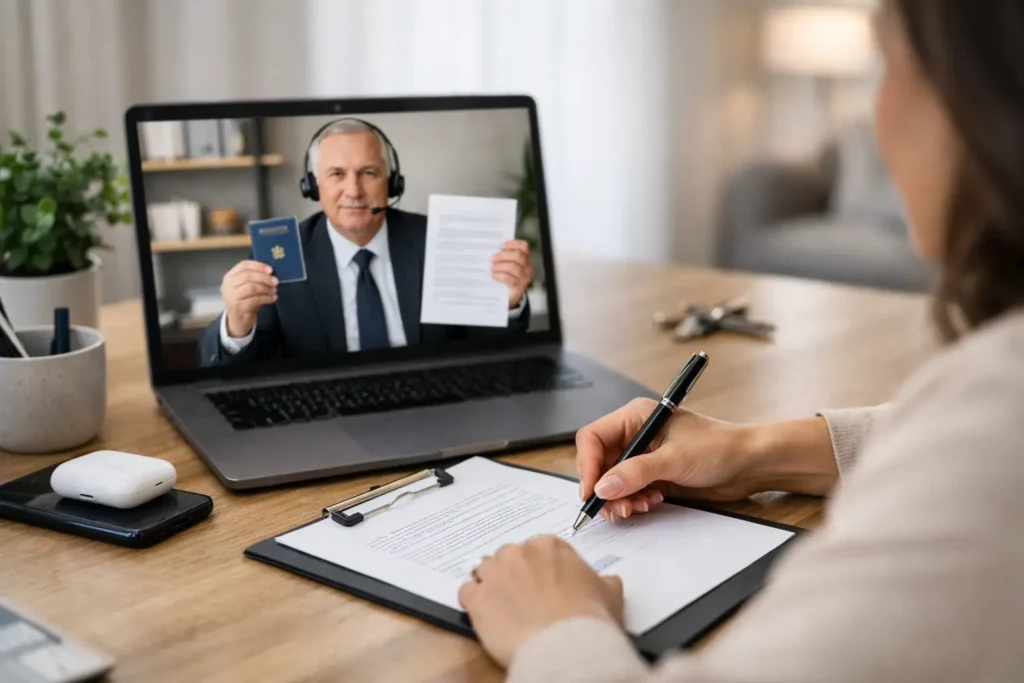
A closing package can arrive late in the day, a signer may be out of town, or a medical, work, or mobility issue can make an in-person appointment difficult. Remote closing notarization may keep an eligible transaction moving without requiring everyone to meet at a title office, bank, or law firm. It is a practical option when the documents, receiving party, and signer’s location all support an online notarization.
The key word is eligible. A remote notarization is not simply a video call with a notary. It is a regulated process that requires identity verification, electronic records, and an authorized online notary. Before relying on it for a deadline, confirm that the lender, title company, attorney, court, agency, or other receiving party will accept the remotely notarized documents.
How Remote Closing Notarization Works
Remote online notarization allows a commissioned notary to perform a notarial act using approved audio-video technology. The signer and notary meet live online, but the identity screening, electronic signature process, and notarial certificate occur through a secure platform rather than across a desk.
For a closing, the process generally begins when the documents are prepared and the transaction coordinator confirms that remote signing is permitted. The signer receives instructions for accessing the online session, completing any required identity credential analysis, and answering knowledge-based identity questions when applicable. During the appointment, the notary watches the signer acknowledge or sign the documents, completes the notarial act, and creates the required electronic journal and recording.
The live video portion matters. A signer cannot pre-record a video, send a photo of an ID, or ask another person to appear on their behalf. The notary must be able to see and communicate with the signer in real time and must be satisfied that the person is willing, aware, and properly identified.
For many transactions, the appointment itself can be completed quickly once everyone is ready. Most delays happen before the session starts: an expired ID, an unsupported document, a poor internet connection, missing emails, or a last-minute discovery that a lender requires wet signatures instead.
Remote notarization is not the same as electronic signing
Electronic signatures and remote notarization often appear together, but they solve different problems. An e-signature shows that someone signed a document electronically. A remote notarization is the notary’s official act of verifying identity and witnessing an acknowledgment, oath, or signature through authorized technology.
A document may be electronically signed without needing notarization. It may also need notarization but require an in-person signing. For closing documents, do not assume that an e-sign option means the entire package can be remotely notarized. Ask the party receiving the documents which pages require notarization and whether remote online notarization is accepted.
What to Confirm Before Scheduling
Time-sensitive closings benefit from a short confirmation call before anyone sends documents or joins a session. The receiving party should confirm that remote notarization is acceptable for the transaction. In real estate matters, that may mean checking with the title company, lender, escrow officer, or recording office. In legal or financial matters, it may mean checking with the attorney, institution, or agency that will rely on the documents.
You should also confirm where the signer will physically be during the appointment. Rules can vary based on the notary’s authorization, the signer’s location, the document type, and the receiving party’s requirements. Eligible U.S. citizens and permanent residents who are abroad may have remote options in some circumstances, but international access is not a blanket approval for every document or closing.
A remote closing is usually a strong fit when the documents are electronic, the signer has a valid government-issued photo ID, and all parties have approved the method in advance. It may not be the right fit when original paper documents, specialized witnesses, wet-ink signatures, or local recording requirements are involved.
Prepare for the Appointment, Not Just the Signing
A few minutes of preparation can protect a closing deadline. Use a laptop or desktop computer when possible. A phone may work for some platforms, but a larger screen, dependable camera, and stable connection make it easier to review documents and complete identity verification without interruption.
Have your current, unexpired government-issued photo ID ready. Make sure the name on your ID matches the name on the documents. If your name has changed, tell the transaction coordinator early rather than waiting until the notary session. Small discrepancies can create avoidable delays.
Choose a quiet, well-lit private location. The notary needs to communicate directly with you and observe your participation. Someone can help you with technology before the session if needed, but no one should pressure you, coach your answers, or interfere with your independent decision to sign.
Before the appointment, review the package enough to understand what you are signing. A notary verifies identity and willingness to sign. A notary does not provide legal advice, explain loan terms, choose documents, or tell you whether a transaction is in your best interest. Questions about the agreement belong with your lender, escrow officer, attorney, or the party who prepared the documents.
For a smooth session, keep these practical items ready:
- Your unexpired government photo ID
- The email invitation and any platform login details
- A charged device with a camera, microphone, and stable internet
- Your transaction contact’s phone number in case a document question arises
When an In-Person Mobile Notary May Be Better
Remote service is convenient, but convenience is not the only factor. A mobile notary appointment may be the better answer when a title company requires original paper documents, the signer is uncomfortable with online identity checks, the internet connection is unreliable, or a document package requires wet-ink handling.
This is especially common with certain real estate, estate planning, healthcare, and institutional documents. Witness requirements can also change the plan. Some documents require witnesses in addition to a notary, and the correct arrangement depends on the document, the applicable law, and the receiving party’s instructions.
For signers in Reno, Sparks, Carson City, and nearby Northern Nevada communities, a mobile appointment can remove the travel burden while preserving an in-person signing process. It is also a useful backup when an online closing becomes impractical close to the deadline. Mobile Notary Nation can help determine whether a remote appointment or a traveling notary is the more workable path based on the documents and timing.
Avoid the Most Common Closing Delays
The fastest way to lose time is to wait until the appointment begins to verify whether remote notarization is accepted. Get that approval first. Then make sure every signer is available for the same scheduled window, especially if multiple parties must complete different documents.
Do not alter notarized pages after the session unless the document preparer instructs you to do so and the required correction process is followed. A changed name, date, acknowledgment, or signature page can affect whether the completed document is usable. If something looks wrong, pause and contact the party who prepared the document.
Also avoid treating the notary as the transaction coordinator. The notary can complete the authorized notarial act, but the title company, lender, attorney, or agency controls the documents and determines what it will accept. Clear communication among those parties is what keeps a remote closing on track.
A Practical Option When Time Is Tight
Remote closing notarization gives eligible signers a way to complete important paperwork without adding a drive, waiting room, or office-hours limitation to an already time-sensitive transaction. It works best when the approval, technology, identification, and documents are lined up before the signing window opens.
If your deadline is close, get the receiving party’s requirements confirmed now, gather your ID, and schedule the notarization method that fits the documents. A quick decision between remote and mobile service can be the difference between a controlled closing and a last-minute scramble.